
Phone for blind and visually impaired people: the honest comparison guide (types, prices, profiles)
Updated July 2026 — by the Olga team, French manufacturer of a voice-controlled phone for visually impaired people since 2016. Yes, we sell a device in one of the categories compared here: we tell you upfront, and in exchange we commit to being honest about all the others.
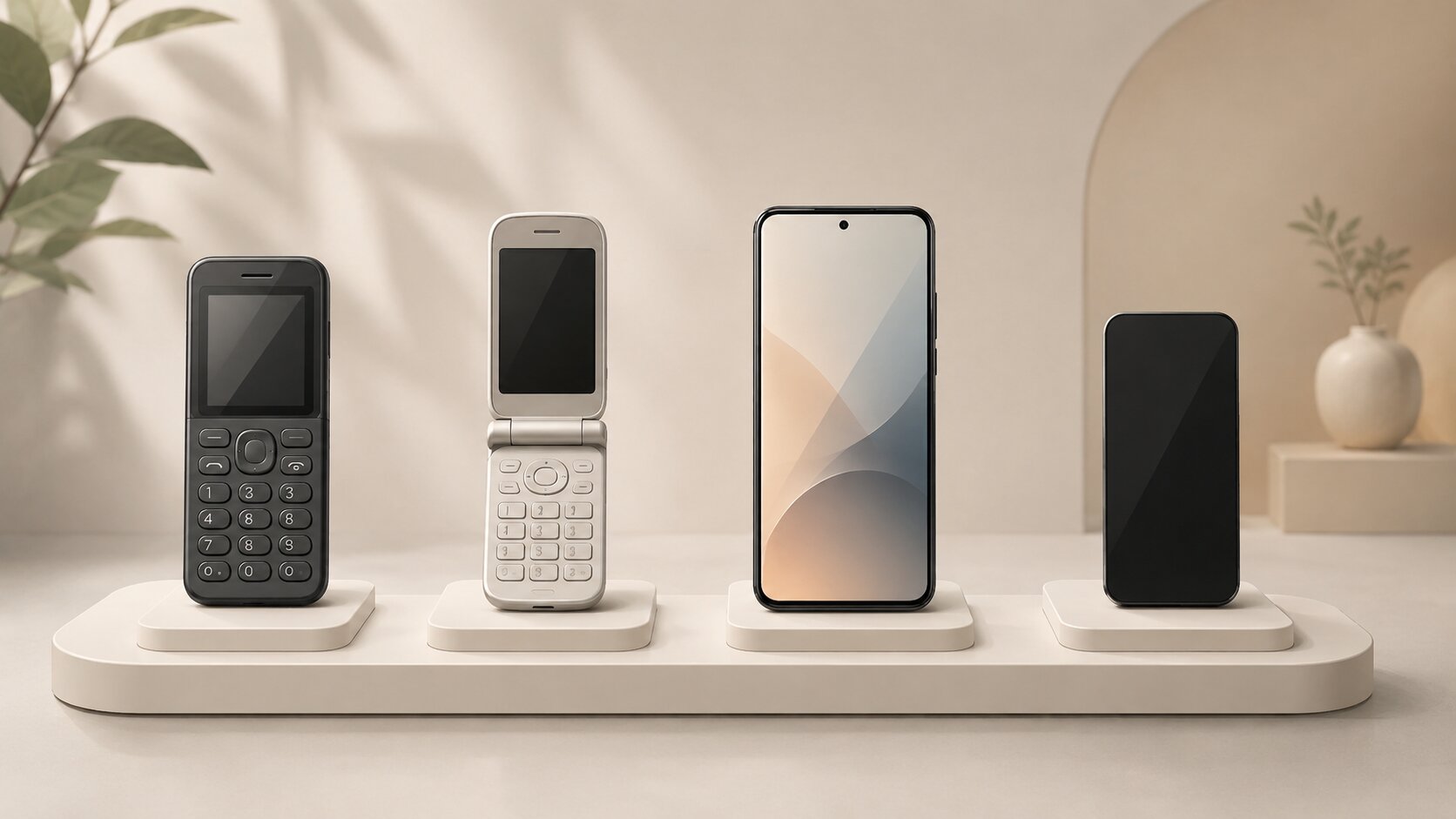
Many families tell us they cannot find their way through the phone comparisons published online. That is no surprise: most are written by distributors who rank first… whatever they sell. It even happens that businesses in this sector with their own shop — including some run by charities — will not point you towards the most suitable solution, simply because they do not sell it. This guide takes a different approach: there is no such thing as "the best phone for the blind" in absolute terms; there are families of solutions, with real advantages, real flaws and real prices — and the right choice depends on the person's profile.
Before comparing: the 4 questions that really matter
1. What learning capacity? This is criterion number one, well ahead of age. A motivated, tech-comfortable person can learn a full smartphone; someone who lost their sight late in life, or who has even mild cognitive difficulties, needs a device that requires no memorising at all. When in doubt, an occupational therapist or a vision rehabilitation specialist will advise you better than any seller.
2. Visually impaired or blind? Many devices "for the visually impaired" actually assume residual vision: big buttons to read, high-contrast screens, menus to scan with the eyes. If the person can no longer rely on their sight at all — or if their condition is progressive (macular degeneration, glaucoma, retinopathy) — they need a device usable without any vision, not a "large print" device.
3. Do the hands follow? Arthritis, tremors, Parkinson's, hemiplegia: dialling a number on a keypad or performing precise gestures on a touchscreen quickly becomes impossible. In these cases, voice-controlled solutions without a keypad should be the default choice.
4. Is hearing all right? A talking phone only makes sense if you can hear it well. If the person wears hearing aids (or should), talk to their audiologist before buying: some phones connect via Bluetooth to hearing aids or a speaker.
Landline or mobile? The false good idea of the landline
Many carers assume an adapted landline will cost less. It is almost always the opposite: a landline requires a home internet subscription, typically €25-30 a month, while a mobile SIM with some data costs €5-15 a month. Copper networks are being phased out in most countries. Above all, a mobile follows the person: in the garden, at their children's, and in the event of a sudden hospital stay — precisely when staying in touch matters most. A landline only remains sensible in areas without mobile coverage.
The 5 families of phones for blind and visually impaired people
1. Big-button phones (€20 – €100)
What they are: classic keypad phones with large keys, sometimes raised, a high-contrast screen and a few speed-dial keys.
Who they work for: people with mild low vision, who can still make out the keys and the screen, and who only want to make calls. Simple, cheap, familiar.
The limit, said frankly: everything relies on sight. Menus are barely (or not) voiced, reading a text message becomes impossible as vision declines, and a progressive condition will make the device unusable within a few years. It is a short-term choice.
2. Simplified "senior" phones (€80 – €350)
What they are: mobiles with a lightened interface — big icons, reduced menus, sometimes a flip design, an SOS button.
Who they work for: older people who can see, or with very mild low vision, put off by smartphone complexity but not by their eyesight.
The limit: these devices are designed for simplicity, not for visual impairment. Voice output is partial or absent; without sufficient vision they are unusable. They are often confused with phones for the visually impaired — they are not.
3. Standard smartphones with a screen reader: VoiceOver and TalkBack (€150 to over €1,000)
Let us say it honestly, because few sellers in this sector do: the iPhone with VoiceOver and Android phones with TalkBack are remarkable accessibility tools — free, built in, developed by the world's biggest technology companies, giving access to the whole app ecosystem: banking, GPS, social media, email. Thousands of blind people, especially younger users or people blind from birth, use them brilliantly every day. On sheer breadth of functions, no specialised device — ours included — can compete with that ecosystem.
So why doesn't everyone have an iPhone? Because their weak point is prohibitive for a large part of the population: learning. Using VoiceOver or TalkBack means memorising a grammar of gestures (one-, two- and three-finger swipes, double taps, the rotor…), navigating dozens of menus by ear, and coping alone with the surprises of a complex system: an update that moves hard-won reference points, a notification that interrupts everything, an app poorly designed for accessibility. Without a relative available to help regularly, the device too often ends up in a drawer. For an 80-year-old discovering visual impairment through macular degeneration, who has never owned a smartphone, or whose fingers tremble, that step is insurmountable — not for lack of intelligence, but because the effort required is measured in months, ideally with specialised training (associations for the blind in many countries offer such courses).
And there is a blind spot nobody talks about: security. Access to everything also means exposure to everything. Checking your bank account, approving payments or sorting emails by ear, on a complex system, multiplies the risk of mistakes and phishing — and elderly visually impaired people are a prime target for fraud. In practice, many families end up taking over these sensitive operations. The smartphone's promise of "access to everything" should therefore be judged honestly: which operations will the person really carry out alone, safely?
Our honest advice: if the person is motivated, has a good learning capacity and can be supported, try this route first — it is the richest and the cheapest in software. If the learning fails or discourages, don't blame anyone: it is the most common outcome after late sight loss, and it is exactly for this situation that the following families exist.
4. Adapted phones with voiced menus (€250 – €600)
What they are: phones designed for visually impaired users, with a physical keypad and menus read aloud in full. You navigate with the keys; the device announces each option.
Who they work for: people attached to a physical keypad, with a good memory for menu structures — often long-time visually impaired users.
The limit: voicing the menus does not remove the complexity, it makes it audible. You still have to memorise where each function lives, work down the menus key by key, and start again after a mistake. For someone discovering low vision and the device at the same time, the learning curve remains a real obstacle. The keypad also becomes a problem again with arthritis or tremors. Finally, depending on the model, the quality of software updates and of support in your language varies greatly from one brand to another: before buying, check who develops the device, for how long, and what happens to updates. And be wary of promises of access to third-party apps (messaging, social media…): those apps change without notice, and any update can break the voice layer that depended on it overnight.
5. 100% voice-controlled, one-button phones (around €400 + subscription)
What they are: the opposite logic to menus — nothing left to memorise at all. One single button (with Olga, the whole surface of the screen): you press, you speak, the device does it: "Call Mary", "Send a message to Paul", "Read me this letter", "Turn on the radio". This is the family our phone Olga belongs to — transparency requires we say so.
Who they work for: people who lost their sight late in life, older people with no digital experience, people with arthritis, tremors or motor disability — in short, everyone for whom learning is the main obstacle. Getting started takes minutes, not months, because there is literally nothing to learn: we already know how to talk. And since everything goes through voice, these devices integrate functions once reserved for outrageously priced dedicated machines: a document reader (OCR) that reads letters and bills aloud, audiobooks, radio, an agenda, a colour detector.
The limits, said frankly: these phones run on a monthly subscription (voice-recognition servers have a real cost) and need a connection — mobile network or WiFi. They are also less "rich" than a smartphone: you will not check your banking app on them. It is a deliberate choice: do fewer things, but make sure the person can really do them alone.
This is not a shortcoming, it is a design choice. Third-party apps cannot be voiced simply and durably — they change constantly. Rather than promising fragile access to everything, these phones rethink the essentials — calls, messages, reading the mail, information, entertainment — so that they work perfectly, alone, over time. The user lives in a fully accessible environment where they can neither get lost nor be trapped; the carer, for their part, can access the device for settings or sensitive operations. And with the arrival of artificial-intelligence functions (photo description, open questions), the ground covered keeps expanding — without sacrificing any of the simplicity.
The criterion that separates models in this family: software longevity. A voice phone depends entirely on its maker: ask how many years the product has existed, whether it is the same device continuously improved or models replaced regularly, and whether support is reachable in your language. To situate our own answer: Olga has been developed in France and updated without interruption since 2016 — devices remain supported and improved for years, with each generation bringing new capabilities. The device was evaluated by CERTAM, the assessment centre of the French Valentin Haüy association, a historic European reference for assistive technology.
Comparison table: the 5 families at a glance
| Family | Indicative price | Usable without any vision | Learning | Suitable for arthritis / tremors | Reads your mail |
|---|---|---|---|---|---|
| Big buttons | €20 – €100 | No | Easy | Medium (keypad) | No |
| Simplified "senior" | €80 – €350 | No | Easy | Medium | No |
| Smartphone + VoiceOver / TalkBack | €150 – €1,000+ (screen reader free) | Yes | Long (weeks to months, training recommended) | Difficult (precise gestures) | Yes (via apps) |
| Adapted, voiced menus | €250 – €600 | Yes | Medium (menus to memorise) | Difficult (keypad) | Depends on model |
| 100% voice, one button | ≈ €400 + subscription (€12/month for Olga) | Yes | A few minutes | Yes (no precise gestures) | Yes, built in (OCR) |
How much does a phone for the visually impaired really cost?
Equipment for disability structurally costs more than mainstream products: production volumes are small. But let us be frank: some players in this sector also take advantage of the scarcity of supply — and of buyers' vulnerability — to inflate prices. The most glaring example is dedicated reading machines, sold for €2,000 – €3,000 for a reading function now built into phones under €500.
Orders of magnitude to remember: under €100 for big buttons, €150 – €1,000 for a smartphone (accessibility software free), €250 – €600 for an adapted phone, around €400 plus a monthly subscription for a 100% voice phone. Add a SIM plan, around €5-10 a month. Depending on your country, disability support schemes, health insurers or charities may cover part of the cost of assistive technology — ask the seller for a detailed quote, and check exactly what is included: device, updates, support. A serious manufacturer provides this information without hesitation.
Which phone for which profile? Our recommendations
- Vision still fair, need for simplicity: a big-button phone or a simplified "senior" phone is enough. Don't pay more.
- Young or tech-comfortable person, motivated to learn: a smartphone with VoiceOver (iPhone) or TalkBack (Android), ideally with training. The most powerful solution, and the cheapest in software.
- Experienced visually impaired user, attached to a physical keypad: an adapted phone with voiced menus — after seriously checking software updates and support.
- Late sight loss (macular degeneration, glaucoma…), older person, no digital experience: a 100% voice-controlled, one-button phone. The only case where autonomy returns within minutes, with no learning.
- Arthritis, tremors, motor disability: 100% voice again — no keypad, no precise gestures.
- Significant cognitive difficulties: involve an occupational therapist before any purchase; no device replaces that assessment.
Frequently asked questions
In conclusion
Beware of "objective" rankings written by sellers — ours included: verify everything we state here. The logic to remember: remaining vision and learning capacity choose the family of device, not advertising. And whatever the solution, ask three questions before buying: is the device usable without any vision? Who develops the software, for how long, and what happens to updates? Is support reachable in your language?
If the profile described in this guide sounds like your relative — late sight loss, learning difficulties, arthritis — our voice-controlled phone Olga was designed exactly for that situation: discover Olga and our users' reviews, see the price, or write to us through the contact form — including to be told, honestly, if Olga is not the right solution for your case.